Find Out What's Actually Blocking Your Rankings
Most sites that plateau in search have a specific, fixable reason - broken internal links, duplicate meta tags, crawl errors, slow-loading pages, missing structured data. A full site audit finds these issues instead of guessing at them, and gives you a prioritized list of what to fix first for the biggest impact. Knowing the real problem beats generic advice every time. YOSITE UP!

General audit of your website
SEO SITE AUDIT
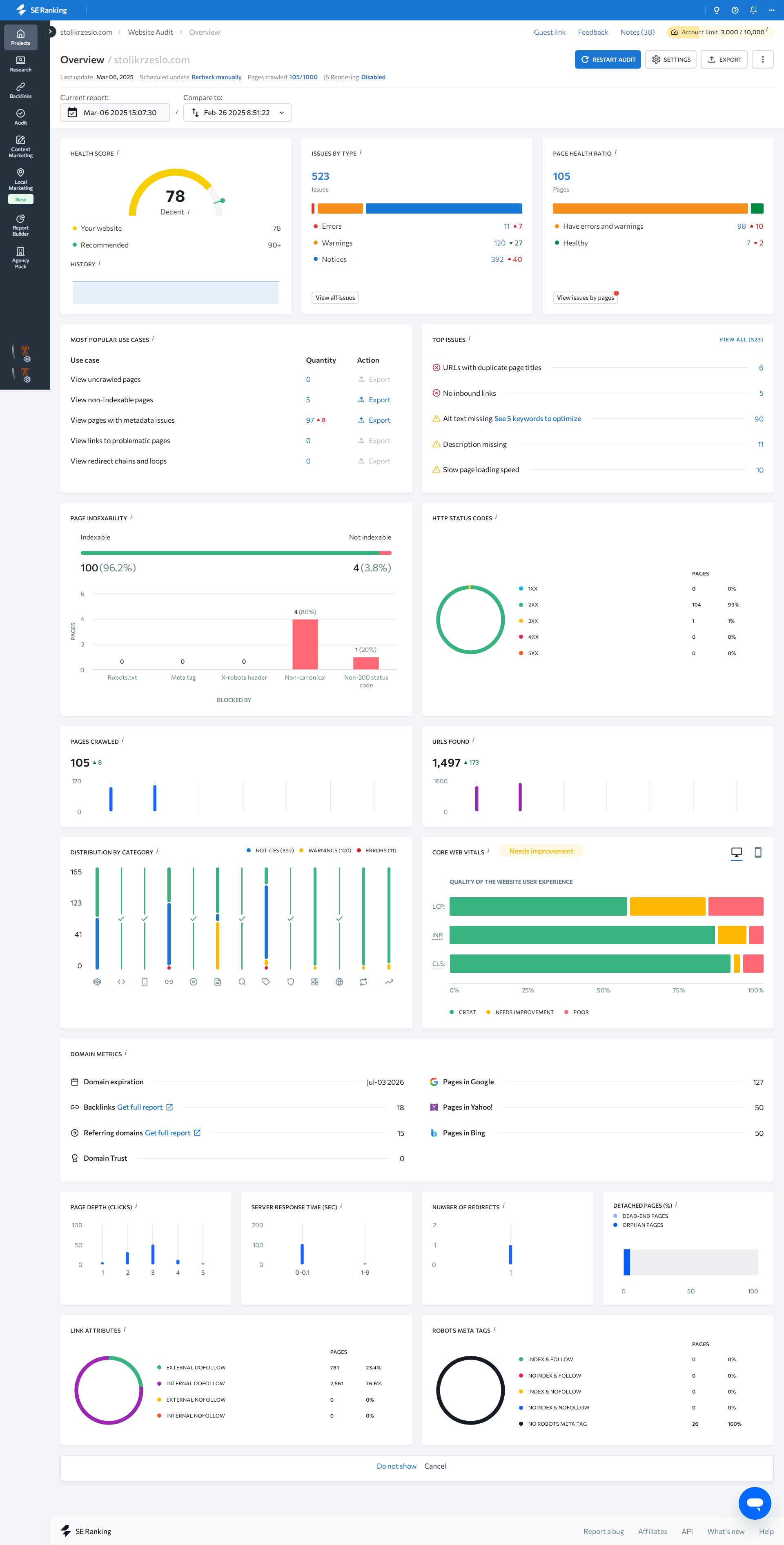
A website audit will reveal the main shortcomings of the website in terms of internal optimisation. Internal optimisation will improve your website's performance in search engine results. We provide a report on the SEO performance of the website's HEALTH SCORE before and after the work is completed.
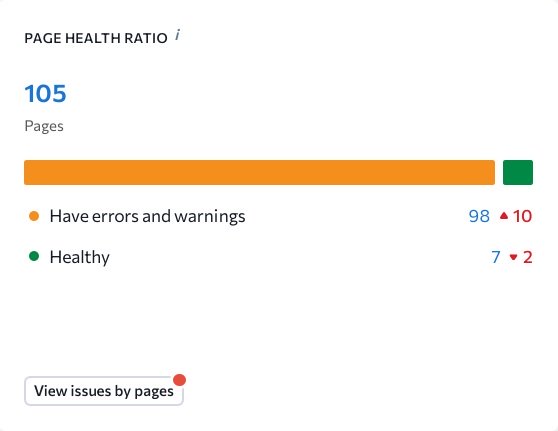
Why conduct a SEO audit of a website
Periodic audits allow you to respond promptly to changes in algorithms, improve the structure of the resource, and create conditions for stable growth in organic traffic. This is an important step in the development strategy of any results-oriented website.
Solving problems with the site
Conducting an SEO audit allows you to identify and eliminate critical errors that hinder effective promotion. Among the most common problems are:
Slow page loading
Problems with content indexing
Duplicate or non-unique content
Incorrect or missing meta tags
Lack of mobile device adaptation
Confusion in the structure and navigation of the site
Correcting these shortcomings significantly increases the chances of the site reaching the top of search results, attracting more visitors and increasing conversion rates.
SEO Site Audit: What We Check and What You See in the Report
The SEO site audit is the first stage of the SEO Optimization package. Nothing else starts until the audit is complete - keyword research, content optimization, and fixes are all informed by what the audit finds. Running optimization without an audit means making changes without knowing the current state of the site, which produces unpredictable results.
Here is what the audit covers, what we measure, and what the report contains.
Three Metrics in the Audit Report
The audit report is structured around three core indicators that give an overall picture of the site's SEO health:
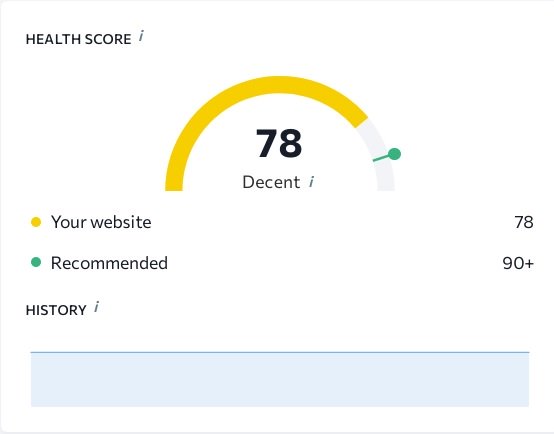
Health Score
A composite score (0-100) reflecting the overall SEO condition of the site. It is calculated from the ratio of pages with no errors to total pages, weighted by error severity. A site with mostly low-severity issues and no critical errors will score 70-85. Sites with indexation blocks, widespread duplicate content, or broken redirect chains score below 50.
We target a Health Score of "Decent" (60+) as a minimum outcome from the package. Sites that start at 30-40 typically reach 65-75 after all five package stages are complete.
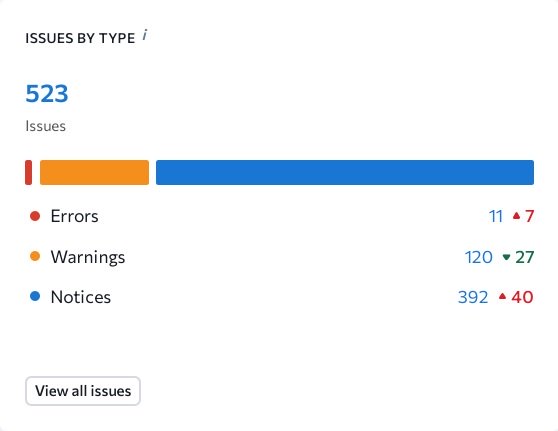
Issues by Type
A full list of errors grouped by category: technical errors (crawl blocks, redirect issues, server errors), on-page errors (missing or duplicate title tags, missing H1, thin content), content errors (duplicate pages, low word count), and speed issues (Core Web Vitals failing pages).
Each issue shows the number of affected pages and a severity level: critical (direct ranking impact), warning (indirect impact), and notice (improvement opportunity). The fixes stage (stage 4 of the package) works from this list.
Page Health Ratio
The proportion of pages on the site that are free of critical and warning-level errors. A ratio of 80% means 80% of the site's pages have no significant SEO issues. As fixes are applied, this ratio improves.
We provide the Page Health Ratio before work begins and after all stages are complete - this comparison is the primary measure of package outcome.
What the Audit Checks
Technical crawlability
We verify that Googlebot can access all pages that should be indexed. This includes checking `robots.txt` for unintended blocks, reviewing the XML sitemap for accuracy and coverage, and identifying pages returning error status codes (4xx, 5xx) that should be returning 200.
Pages that are not crawlable cannot be ranked, regardless of their content quality. Crawlability issues are treated as critical severity in the audit.
Indexation status
Not all crawlable pages are indexed. We check Google Search Console data to identify pages that are crawled but excluded from the index - and determine the cause: duplicate content, thin content, `noindex` directive, or canonical pointing to another URL.
For packages with established sites (not new domains), we also check for pages that were indexed in the past but have since dropped - which indicates content quality deterioration or a technical change that affected indexation.
On-page elements
Every page is checked for:
- Presence and uniqueness of the title tag
- Presence and uniqueness of the meta description
- Presence of exactly one H1 tag
- Heading structure (H1 → H2 → H3 hierarchy without gaps)
- Image alt attributes
- Internal link count and anchor text quality
Pages with missing or duplicate title tags are flagged as high-priority for the content optimization stage.
Page speed and Core Web Vitals
We measure Largest Contentful Paint (LCP), Cumulative Layout Shift (CLS), and Interaction to Next Paint (INP) using PageSpeed Insights field data (real user measurements) and lab data. Pages scoring "Poor" on any metric are flagged.
Speed issues that can be resolved within the package scope are passed to the fixes stage. Infrastructure-level issues (slow hosting, no CDN) are documented with recommendations.
Duplicate content
We identify pages with identical or near-identical content appearing at multiple URLs. Common sources: URL parameters creating variants of the same page, www vs. non-www both accessible, HTTP vs. HTTPS both serving content, and CMS-generated pagination creating thin paginated copies.
Mobile usability
Using Google Search Console's Mobile Usability report and manual checks, we identify pages flagged for mobile issues: text too small to read, touch targets too small or close together, content wider than the viewport.
How Scope Scales by Package
The audit process is the same across all packages. The difference is site size:
Package 20 ($199): Full audit of up to 20 pages. All categories checked. Typical completion: 2-3 business days.
Package 50 ($349): Full audit of up to 50 pages. Includes blog category pages and main service pages. Typical completion: 3-4 days.
Package 100 ($599): Full audit of up to 100 pages. At this scale, we also review template-level issues - errors that appear across all pages generated from the same template. Fixing a template-level error resolves it across all affected pages simultaneously. Typical completion: 4-6 days.
Package BIG ($1,199): Full audit of 100+ pages. We use automated crawl tools (Screaming Frog or Sitebulb) for data collection and supplemented by manual review of high-priority pages and templates. Typical completion: 1-2 weeks depending on site size.
What Happens After the Audit
The audit report is reviewed before proceeding to stage 2 (keyword research). If the audit finds that significant portions of the site are not indexed or crawlable, we resolve the most critical indexation blockers first - otherwise, optimization applied to non-indexed pages has no visible effect in search until those pages are indexed.
The audit also informs the keyword research stage: pages that cannot rank due to structural issues are deprioritized in the keyword map until their issues are resolved.
Common Issues We Find
Pages blocked by robots.txt from a staging configuration: Sites that were developed with a staging block (`Disallow: /`) and were never fully unblocked after launch. The site appears functional to users but is invisible to Google.
Canonical tag misconfigurations: A page's canonical tag pointing to the homepage or another unrelated URL, causing Google to ignore the page's own content when assigning rankings.
Widespread missing meta descriptions: CMS defaults that generate no meta description, leaving Google to auto-generate snippets from page content - which are often irrelevant to what users are searching for.
Redirect chains from old migrations: Sites that have changed domains or restructured URLs without cleaning up redirect chains. A URL that goes through four redirects before reaching the destination loses link equity at each step.
Core Web Vitals failures on mobile: LCP above 4 seconds due to uncompressed hero images served at full desktop resolution to mobile users. This is among the most common and most fixable speed issues.
Frequently Asked Questions
Do I receive the audit report before you start the other stages? Yes. After the audit is complete, we share the Health Score, Issues by Type, and Page Health Ratio with you. This is also when we discuss any critical issues found - particularly if the site has indexation problems that need priority attention before content work begins.
What tool do you use for the SEO audit? We use a combination of Google Search Console (for real indexation and Core Web Vitals data), Screaming Frog or Sitebulb (for full-site crawl), and PageSpeed Insights (for speed metrics). We do not rely on a single automated score - the audit combines automated data with manual review.
Is the audit a one-time check or do you audit again after the work? Both. The initial audit before work begins establishes the baseline. After all package stages are complete, we run a second audit and compare the Health Score and Page Health Ratio before and after. The comparison appears in the final work report.
What if the audit finds issues that cannot be fixed within the package? Issues outside the package scope - infrastructure changes, redesign requirements, content creation for new pages - are documented in the audit with recommendations. You receive a complete picture of all issues found, not just those we address within the package.
Can I see the audit for my site before ordering a package? We conduct the full audit as the first stage of the package, not as a standalone preliminary step. However, you can assess your site's general SEO health using publicly available tools: Google Search Console (requires site verification), PageSpeed Insights, and Google's Mobile-Friendly Test are free and give a partial picture of the same data we measure.
Last post
From our blog
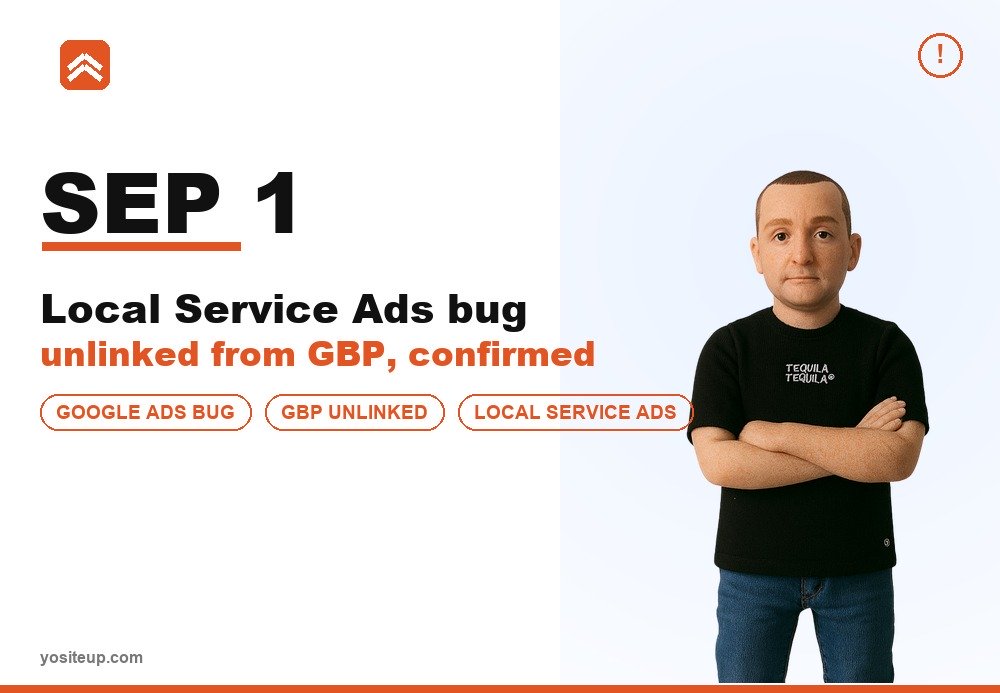
Local Service Ads Losing Their Google Business Profile Link - A Global Google Ads Incident
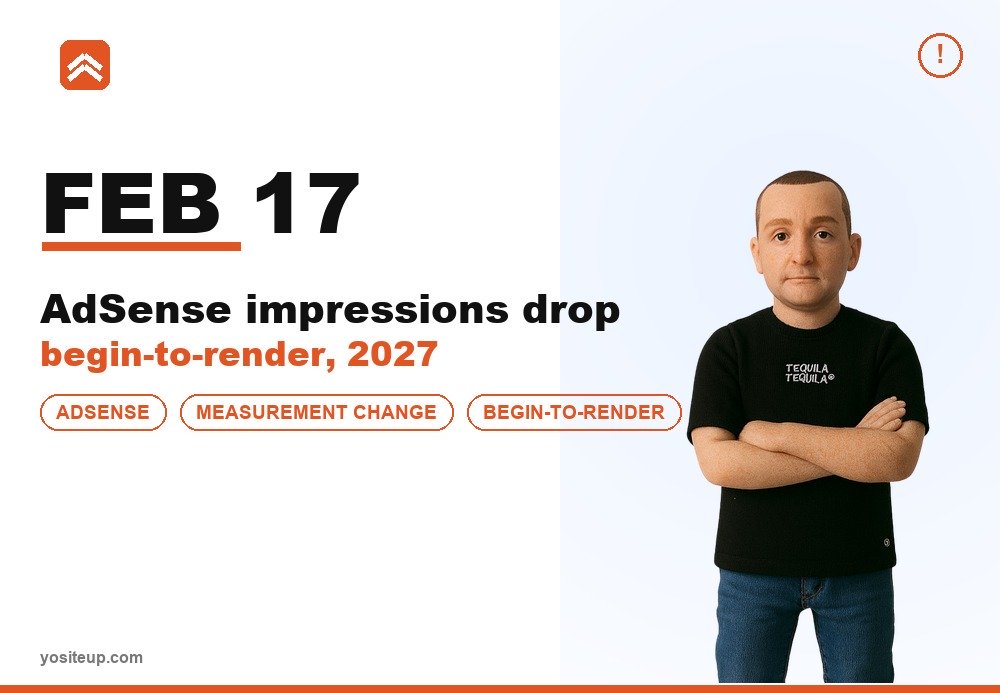
AdSense Is Changing How It Counts a Show Worldwide - Here's What February 17, 2027 Means for You